Turn direction into daily progress

Plan your goals Execute your tasks Improve every day

DayVector combines task management, structured roadmaps, time tracking and personalized coaching to help you organize your responsibilities, improve your habits and make better use of your time

It connects planned work with real activity, credits useful effort to the task it supports and turns verified patterns into clear recommendations

  • Windows
  • Android phones
  • Android tablets
  • Offline capable
  • Cross-device synchronization
DayVector dashboard showing task suggestions, today's schedule, workload and overdue work
One connected system

One application for planning, execution, progress and improvement

DayVector connects what you plan with what you actually do. It measures real effort, recognizes useful work, identifies delays and helps you improve your future schedule

Available Beta Planned
Built for meaningful progress

Everything you need to turn plans into progress

Long-term direction, daily responsibilities, real execution data and personalized guidance come together inside one calm workspace

route
Available

Turn large goals into clear phases

Create roadmaps with phases, milestones, checkpoints, recurring work, practice targets and completion requirements

explore
Available

Choose the right next action

Bring priority, deadlines, available time, dependencies and roadmap importance into one practical recommendation

timer
Available

Understand how your time is used

Track focused work, continuous sessions, pauses, idle periods, interruptions and the difference between planned and actual effort

conversion_path
Available

Useful work is never lost

Review activity from breaks or other sessions and credit approved effort to the task and roadmap it truly supported

event_repeat
Available

Roadmaps adapt to real performance

Forecasts respond to actual effort, postponed work, missed sessions, confirmed progress and available capacity

lightbulb
Available

Get a helpful next step

Coaching uses today’s schedule, paused work, roadmap priorities and your preferences to offer a respectful next action

A practical loop

From a long-term goal to today’s next action

01

Define your goal

Create a personal, professional, learning, health or habit goal

Reach German B1
02

Build the roadmap

Divide the goal into phases, milestones, checkpoints and practical recurring tasks

03

Execute the work

Match each responsibility with focused sessions, continuous timers, checklists, reading or manual completion

04

Learn and improve

Compare the plan with actual performance and use evidence to shape the next one
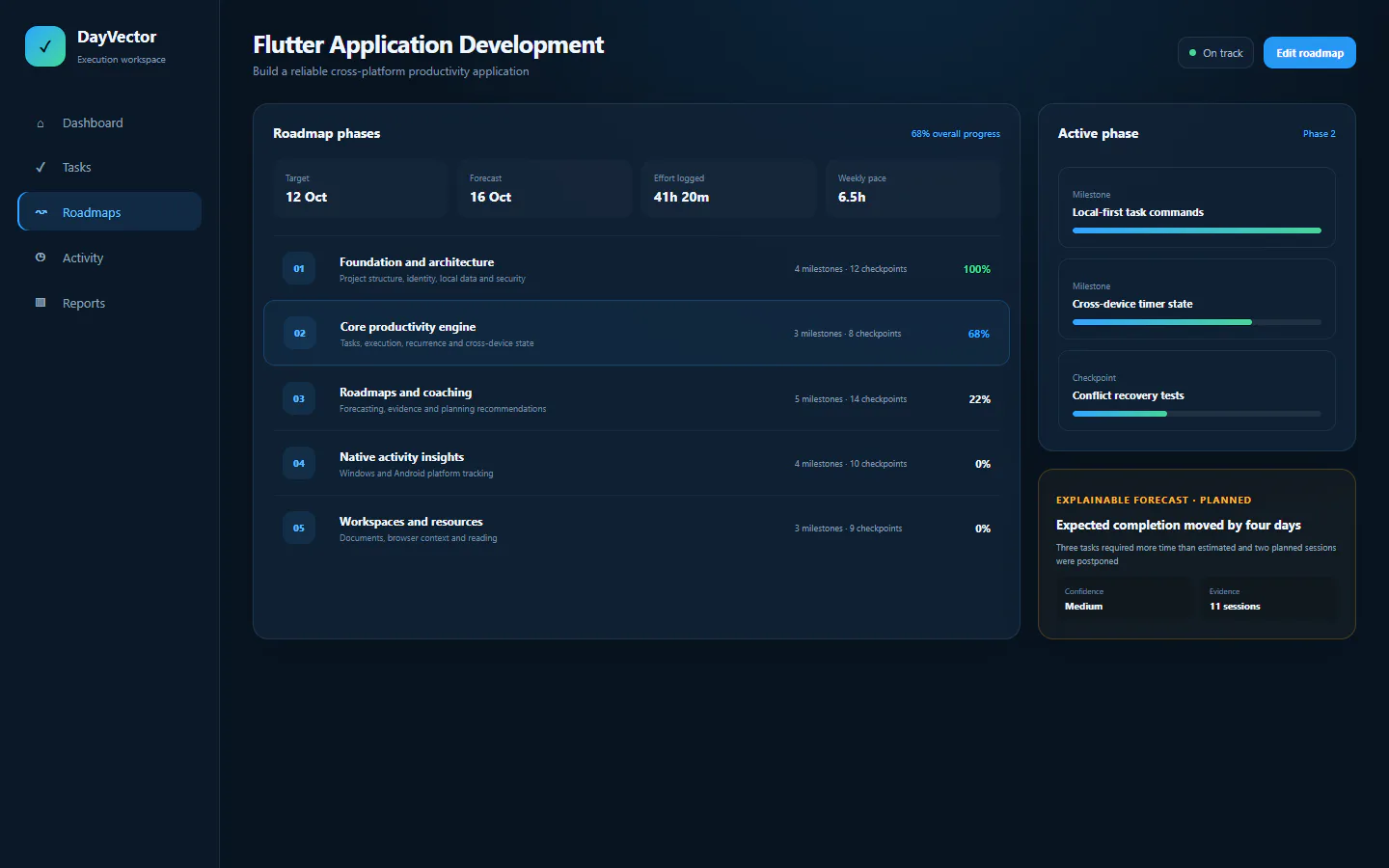
DayVector roadmap displaying phases, checkpoints and progress forecasts
Roadmaps

Build a realistic path toward every goal

Roadmaps turn long-term direction into measurable phases and responsibilities. Every item remains editable and every percentage has an explanation

  • Editable phases
  • Target dates
  • Recurring tasks
  • Milestones
  • Checkpoints
  • Required effort
  • Forecast completion
  • Risk warnings
Flexible execution

Different responsibilities need different methods

DayVector is designed to match the work rather than forcing every activity into the same timer

pace

Continuous Timer

Long work blocks, active time and overtime

Available
checklist

Checklist

Required items, priorities and completion rules

Available
menu_book

Reading

Books, PDFs, duration, saved position and notes

Available
routine

Habit

Streaks, completion rate, recovery and timing

Available
event

Event

Arrival, duration, lateness and follow-up work

Available
hub

Hybrid

Combine timers, checklists, checkpoints and resources
Available
Focus from your home screen

Your running session stays visible and controllable

The responsive Android widget reflects the current DayVector session. See the remaining time at a glance, pause without opening the app, move to a break or finish when the work is complete.

Made to feel at home on Android
  • Live focus and break countdowns
  • Pause, break and finish controls
  • Compact, medium and expanded sizes
  • The same live session as the app
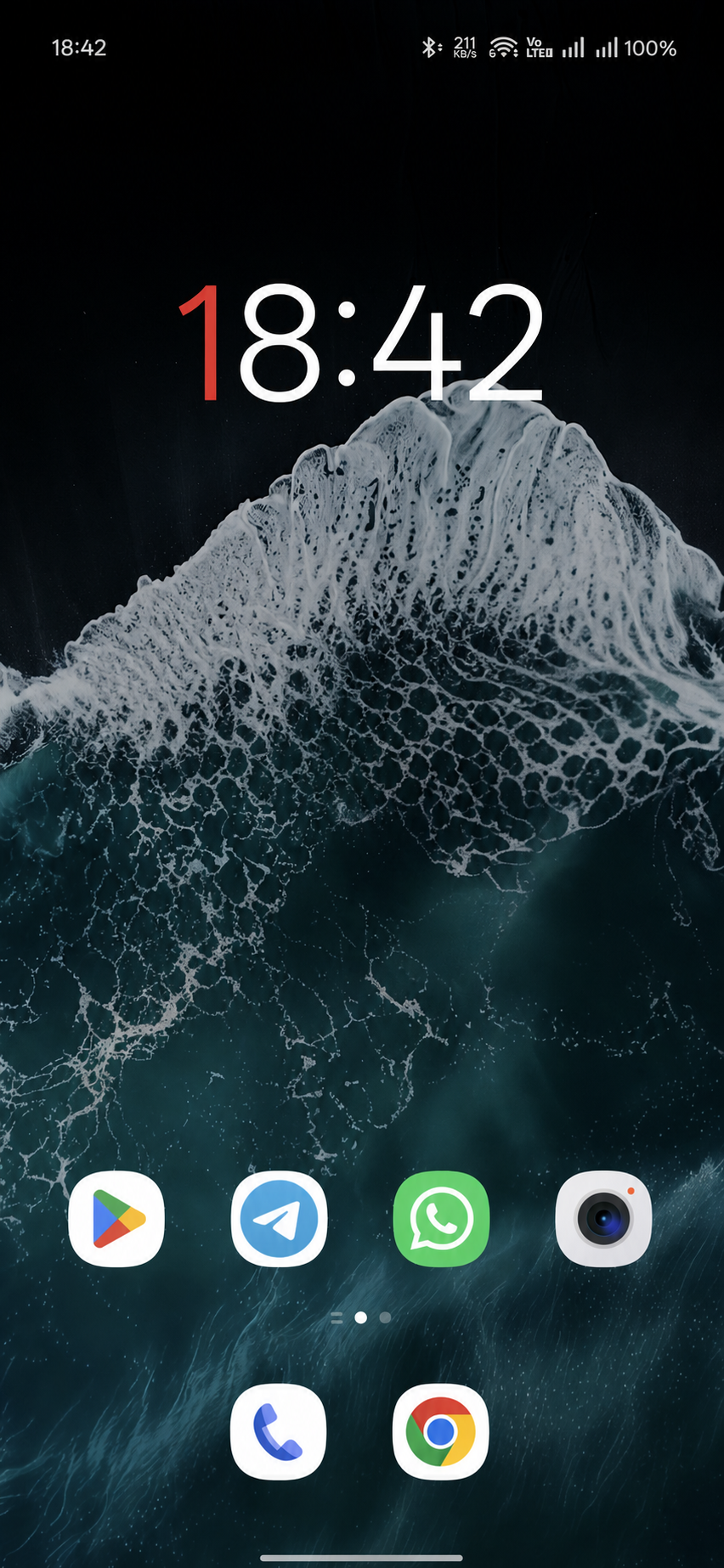
Android home screen showing the DayVector widget beside familiar apps
DayVector Focus
Focus session

Deep work session

A real live preview with working countdown and controls

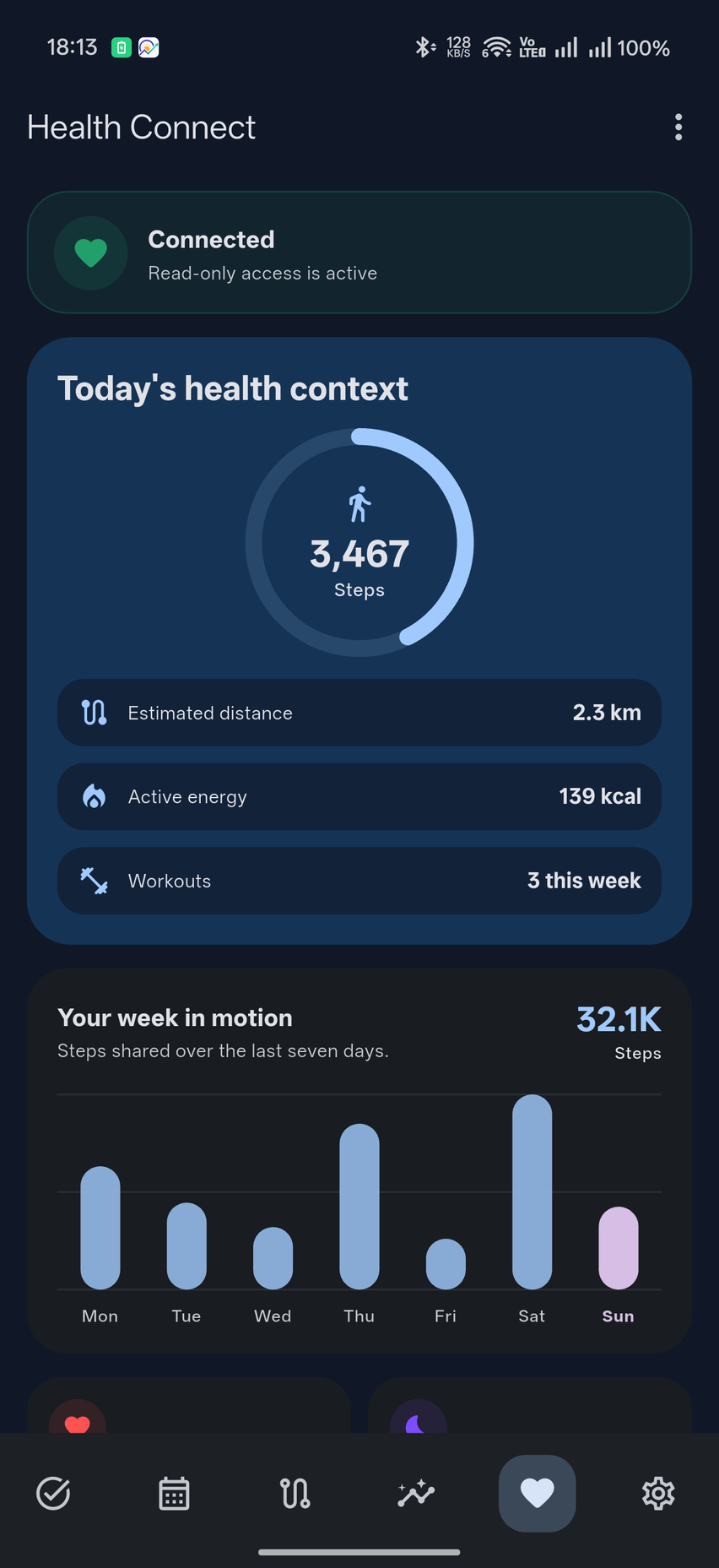
DayVector Health dashboard showing today's steps, distance, active energy, workouts and a seven-day movement chart

Captured from the Android app

Health context without clutter

See movement and recovery beside your work

With your permission, DayVector reads the health summaries you choose to share and presents them in a calm daily view. It helps you notice when movement, rest and focused work are supporting each other.

  • A clear view of todaySteps, distance, active energy and workouts at a glance
  • Your week in motionReadable values and a simple seven-day movement chart
  • Health sources togetherConnected watches and health applications in one tidy place
  • Useful on Windows tooDaily summaries stay readable across your signed-in devices
Swipe down to refresh Read-only access
Cross-task attribution

Useful activity belongs to the task it actually supports

Time does not always follow the schedule. DayVector keeps each activity period available for review and makes sure the same minute is never counted twice

Current session code

Project task

Five-minute Pomodoro break

Detected activity translate

German learning app

4 minutes 12 seconds

Approved result trending_up

German daily practice

German B1 roadmap updated

Physical timeline5m 00s
Approved practice4m 12s
Duplicated time0m 00s
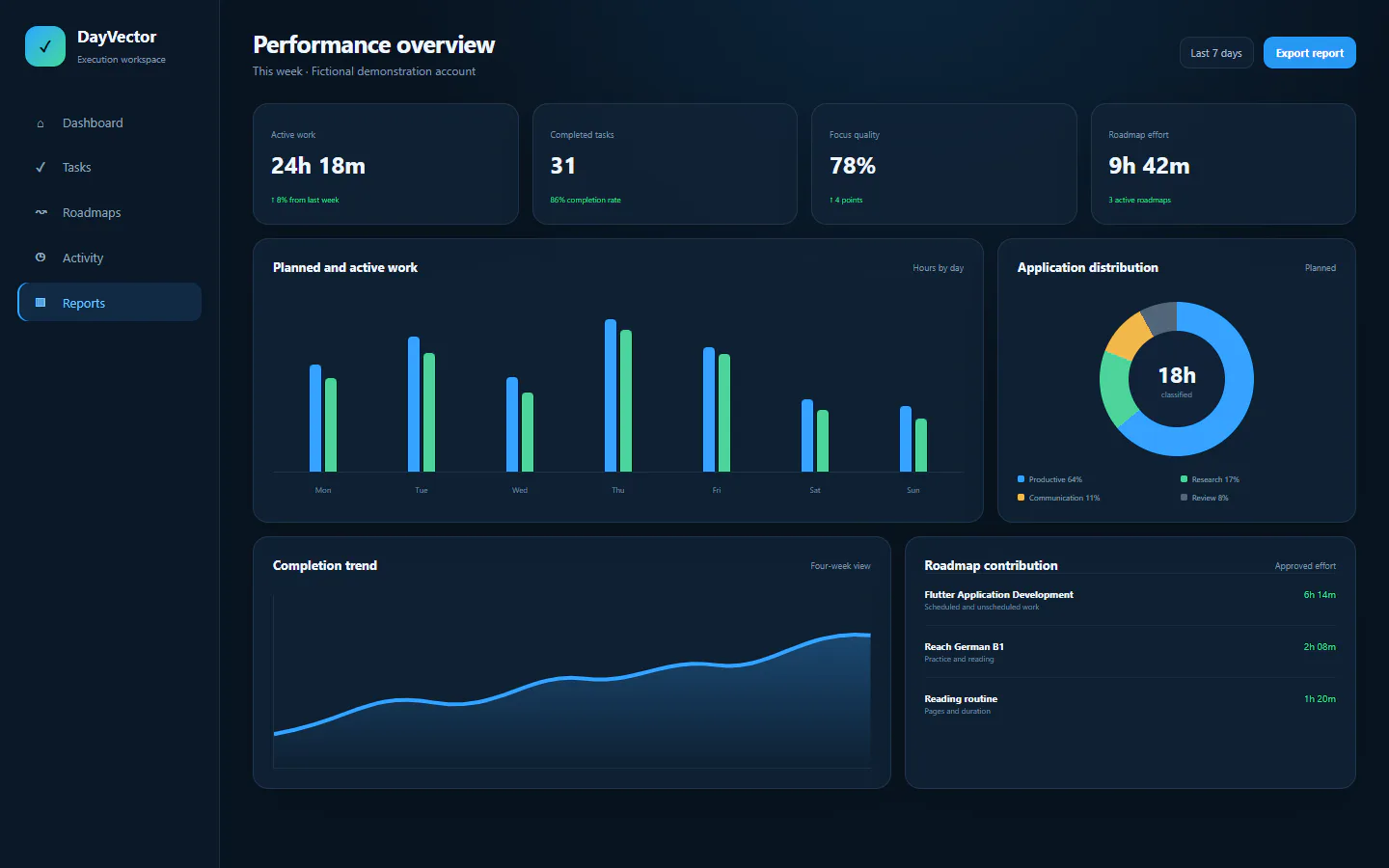
Activity reports

See where your time actually went

Reports group approved application and website activity by duration. Open the underlying activity whenever you want to review or correct it

timerSee the time recorded for each application and website

linkConnect trusted tools to the task they support

ruleKeep uncertain activity ready for your review

Example activity report

Development session

Available
VS
Visual Studio CodeApplication
42 minutes
WB
Web browserWebsite activity
28 minutes
EM
EmailApplication
11 minutes
VP
Video platformApplication
14 minutes
Personal coaching

Coaching based on your actual behavior

Friendly suggestions use today’s schedule, active or paused work, roadmap priorities and your coaching preferences. You remain in control

Current focusPaused workOverdue tasks Roadmap progressRest timingFocus patterns
explore
Coaching suggestionMake the roadmap feel possible again
Based on your roadmap
Part of your roadmap is at risk. Make Prepare launch brief the recovery step and leave the rest outside this session

Evidence: 3 open roadmap tasks

Next step Open the related task and protect one focused session
Prepare product launch 00:42:18
sync
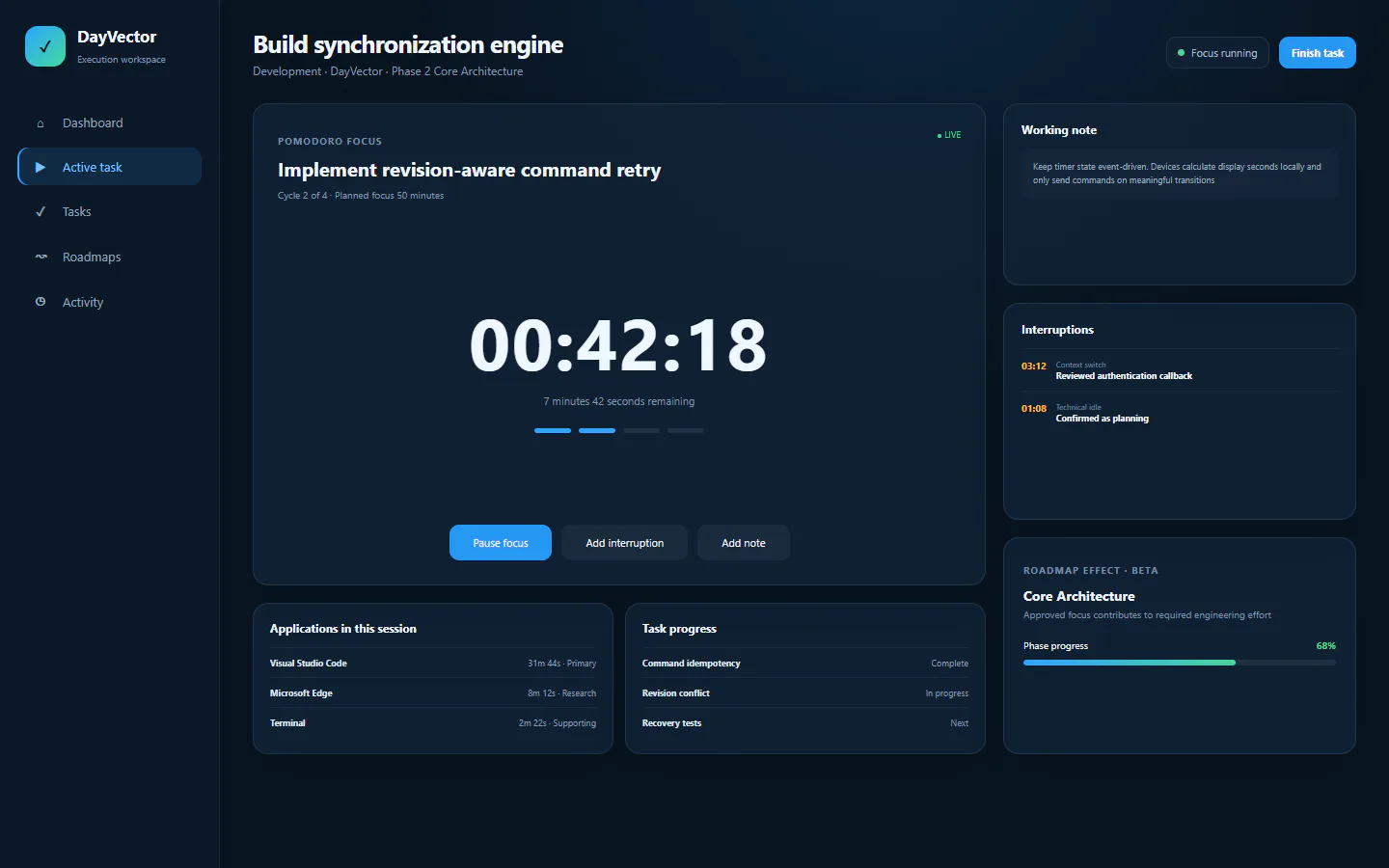
Current focus 00:42:18
Cross-device synchronization

Start on Windows. Continue on Android

Start, pause or resume the same task from Windows or Android. Tasks, roadmaps, settings and approved work stay consistent when devices are online

Start on WindowsView on AndroidContinue on Windows
  • Immediate local button response
  • Local timer calculation
  • Duplicate-command protection
  • One shared active task and session state
Offline operation

Your work does not stop when the internet does

Create tasks, update roadmaps and keep working without a connection. Saved changes synchronize safely when your device reconnects

cloud_off
Offline

3 changes waiting safely

cloud_done
Connected

All changes synchronized

Privacy and control

Detailed insights under your control

You choose which activity DayVector may record and whether selected data remains local or is synchronized

verified_user

DayVector does not upload browser cookies, website login tokens, clipboard contents, form contents or unencrypted passwords

Activity privacyYour choices
Track applications
Track window titles
Track domains only
Track full URLs
Keep selected history local
Pause tracking
Delete activity history
The operational view

Everything important, visible in one place

Today’s responsibilities, active work, roadmap progress, unresolved activity and coaching direction in one focused dashboard
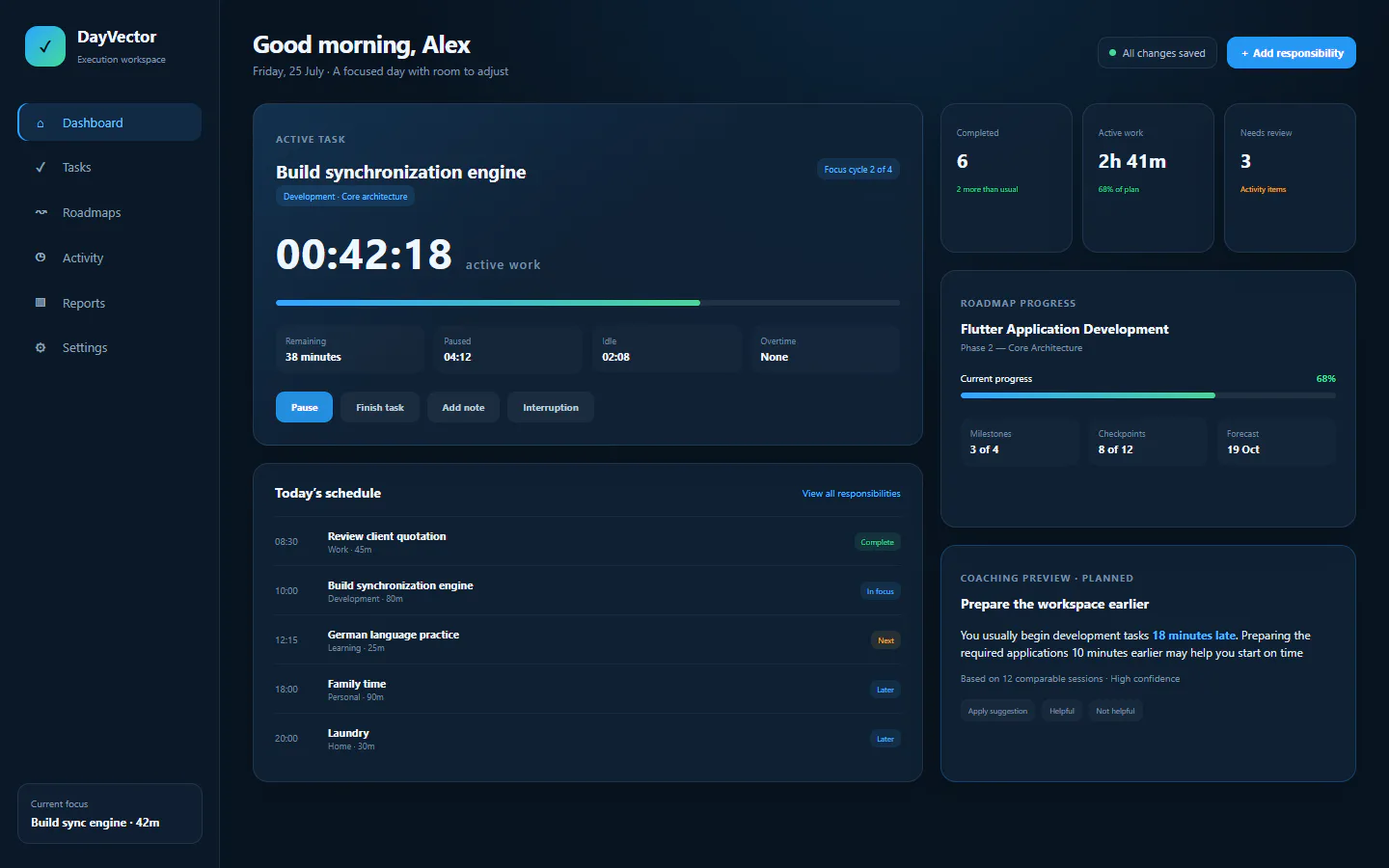
DayVector dashboard showing task suggestions, schedule, workload and overdue responsibilities Task suggestions Today's workload Schedule
  • Clear current task state
  • Next suggested responsibility
  • Today’s schedule and workload
  • Overdue work and items needing attention
  • Dynamic coaching and synchronization status
DayVector coaching carousel with several evidence-based suggestions
Dynamic coaching Several suggestions, always in your control
DayVector Activity view grouping useful application time without losing individual periods
Activity insights Clear, editable classifications
DayVector DayVector
Direct contact

Questions, feedback or support?

Contact the creator of DayVector for help with the app, privacy questions, feedback, bug reports, feature suggestions or general enquiries

Created and maintained by Y. A. Diab yasserdiabhassan@gmail.com
Contact Y. A. Diab
Application supportPrivacy questionsBug reportsFeature suggestions
DayVector vChecking…

Build a better system for your time

Download DayVector and begin turning long-term goals into practical, measurable daily progress